What the Gosaurori Review Environment Provides
The following sections describe the capabilities built into the Gosaurori inspection interface. Each function is explained in terms of what it does, how it helps users navigate available information, and what it is not designed to accomplish.
How the review environment is navigated
The inspection process follows a logical sequence that reflects the natural progression of a user's examination task, from initial orientation through to focused review and record-level inspection.
Environment Orientation
Users begin by reviewing the top-level structure of the information environment. This orientation layer presents category summaries, record counts by type, and a navigational overview that allows users to identify which areas of the environment are most relevant to their current review task before proceeding to detailed inspection.
Category Selection and Scoping
Once oriented, users select a record category and apply available filters or scope parameters to narrow the visible set. This scoping step prevents users from examining records that fall outside their review purpose and ensures the information displayed in subsequent steps remains directly relevant.
Structured Record Inspection
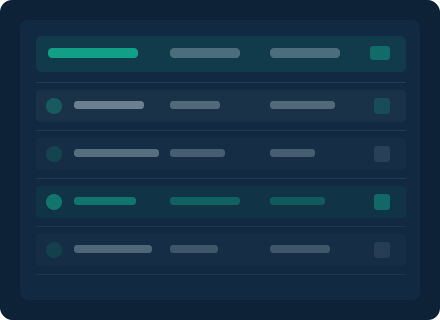
Individual records are displayed in a structured format with consistent field labelling. Users can examine each entry's descriptive fields, classification tags, and any associated scope indicators in a single view. The layout is designed to surface the most contextually significant details without requiring users to navigate away from the record they are inspecting.
Comparative Review Across Records
After inspecting individual records, users can switch to a comparative view that aligns selected entries against shared field criteria. This comparison capability helps users identify consistencies, distinctions, and gaps across a set of records without needing to retain information from separately opened views.
The inspection capabilities in detail
Layered Information Display
Information within the review environment is presented in layers that users can expand or collapse depending on the depth of inspection required. The outermost layer provides a summary suitable for quick scanning. Intermediate layers reveal descriptive and categorical detail. The innermost layer, where available, contains the most granular record-level information the environment holds for a given entry.
This layered structure ensures that users who need a high-level overview are not overwhelmed with unnecessary detail, while those conducting a detailed inspection can reach the full depth of available information without navigating to a separate view.

Structured Observation Summaries
For each category of records within the environment, Gosaurori generates structured observation summaries that describe the distribution and composition of the available information. These summaries indicate, for example, what proportion of records in a category have fully populated fields, where common classification patterns appear, and where entries are sparse or incomplete.
Observation summaries are intended to help users calibrate their expectations before committing time to a detailed inspection. They describe what the environment actually holds rather than projecting what users might expect to find.
Navigation and Reference Aids
The review interface includes a set of navigation aids designed to help users maintain orientation throughout an extended inspection session. These aids include a persistent breadcrumb indicating the user's current location within the category hierarchy, a record history that allows users to return to previously examined entries, and a reference panel that displays the current scope parameters and any active filters throughout the session.
These tools are designed to reduce the cognitive overhead of navigating a large or complex information structure, allowing users to focus on examining content rather than managing their place within the interface.

Interested in examining the environment firsthand?
Submit an access request or a general enquiry through the Gosaurori contact page. The support team can provide further information about specific capabilities and review the details of your enquiry before confirming next steps.
Submit an Enquiry